


Appcompanist: Vocal Training
4.440.00 Reviews
App Specs
- Version
- 2.1.47
- Updated On
- License
- Free
- Downloads
- 10,000+
- Developer
- Appcompanist, LLC
- Categories
- Music & Audio
- Platform
- Android
Screenshots
 Analysis by AppCompare
Have you ever wanted a music app that feels like a personal accompanist right in your pocket? Well, let me tell you about Appcompanist. It's an app that aims to be the ultimate tool for musicians, singers, and anyone who loves to perform or practice music. I took it for a spin, and here’s what I found.
First Impressions and Navigation
From the moment I opened Appcompanist, I was greeted by a clean and intuitive interface. The design is sleek, with easy-to-navigate menus that make finding your way around a breeze. Whether you’re a tech whiz or someone who struggles with new apps, you’ll likely find it straightforward to use.
The home screen presents you with a variety of options, from browsing the vast library of accompaniments to customizing your own. I loved how everything felt just a tap away, making the process smooth and enjoyable.
A Musician’s Dream Library
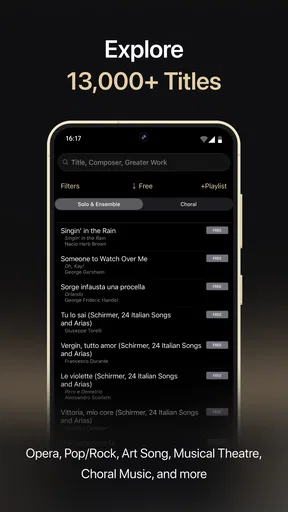
Let’s dive into the heart of the app: the music library. It’s vast, covering a wide range of genres and pieces. From classical to contemporary, there’s something for everyone. I found the selection of vocal pieces particularly impressive, catering to both beginners and seasoned performers.
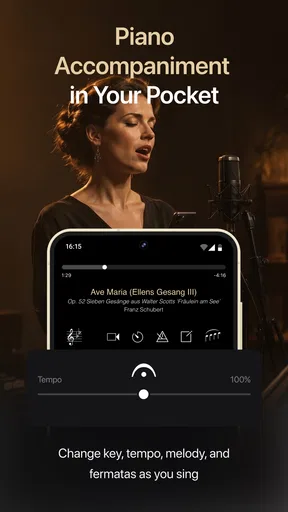
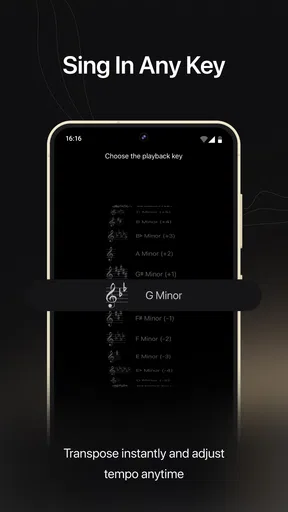
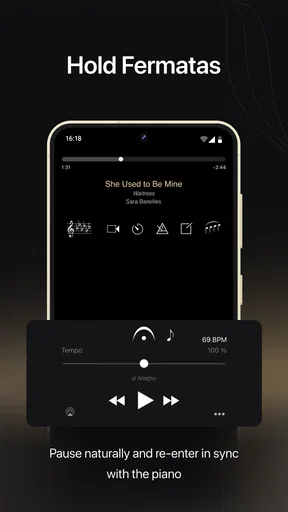
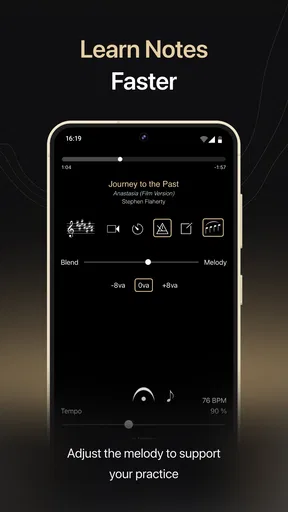
What caught my attention was the ability to adjust tempo and pitch. This feature is a game-changer for anyone needing to practice at their own pace or key. Imagine having a personal accompanist who adjusts to your needs—pretty neat, right?
Customization and Flexibility
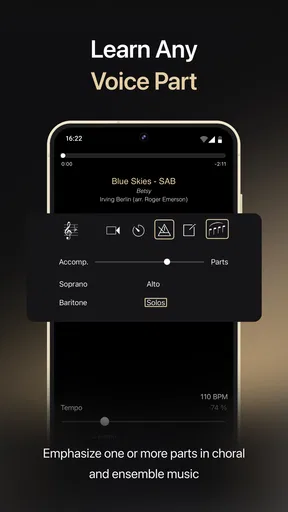
One of the standout features is the customization options. Not only can you change tempo and pitch, but you can also choose different accompaniments for the same piece. Want a piano or orchestral backing? You got it. This flexibility means you can tailor your practice sessions to match performance conditions or just have fun experimenting.
Another cool aspect is the ability to bookmark and create playlists. Whether you’re prepping for a recital or just want to keep your favorites handy, these features make organizing your music a snap.
Worth Reading Before You Choose

EA SPORTS FC Mobile 26 Is a Bigger Football Game, but It Takes Time

Flipboard Shows What News Apps Must Do Beyond the Feed

Switching to Android Auto Means Rethinking Your Driving Routine

Google Calendar Makes a Crowded Week Easier to Manage

Ludo King Makes the Most of the Minutes Between Plans

Baby Panda World Brings Quick Play to Modern Phones, but Its Game Library Feels Busy
Performance and Usability
Performance-wise, the app runs smoothly on both Android and iOS devices. I didn’t experience any hiccups or lag, which is crucial when you’re in the middle of a practice session. The audio quality is top-notch, delivering clear and rich sound that makes practicing a pleasure.
Usability extends beyond just the app’s layout. The support for offline usage means you can take your practice anywhere—perfect for those moments when inspiration strikes on the go.
Final Thoughts
So, should you get Appcompanist? If you’re a musician looking for a reliable, flexible, and feature-rich accompaniment app, I’d say it’s worth checking out. The extensive library, customization options, and high-quality audio make it a valuable tool for anyone serious about their music.
Of course, no app is perfect, and not every feature will be essential to everyone. But for what it offers, Appcompanist stands out as a top contender in the music app arena. Happy practicing!
Pros
- Simple and intuitive user interface.
- Extensive song library with various genres.
- Customizable playback settings.
- Offline mode available for practice.
- Regular updates with new features.
Cons
- Limited free version features.
- Requires stable internet for updates.
- Some songs may have missing features.
- Occasional app crashes reported.
- Subscription can be pricey for some.
FAQs for Appcompanist: Vocal Training
What is Appcompanist and what does it offer?
Appcompanist is a versatile music app designed for singers, voice teachers, and performers. It provides a vast library of piano accompaniments for various songs, including classical, musical theater, and more. Users can adjust tempo, key, and even create custom playlists, making it a valuable tool for practice and performance.
Is Appcompanist suitable for all skill levels?
Yes, Appcompanist caters to musicians of all skill levels. Whether you're a beginner learning a new piece or a professional preparing for a performance, the app’s customizable features and extensive library make it accessible and beneficial for everyone. Its easy-to-use interface ensures a smooth experience for all users.
Can I use Appcompanist offline?
Appcompanist allows for offline use once the desired accompaniments are downloaded. This feature is particularly useful for users who need to practice in areas without reliable internet access. Simply download the tracks you need when you have connectivity, and access them anytime offline.
How often is new content added to Appcompanist?
Appcompanist regularly updates its library with new accompaniments. The development team actively expands its offerings to include more songs from various genres, ensuring users have access to a comprehensive and up-to-date selection that fulfills their musical needs.
Is there a subscription fee for Appcompanist?
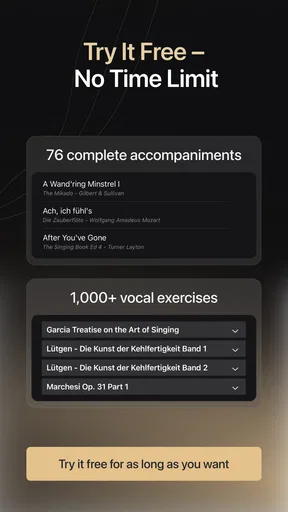
Yes, Appcompanist operates on a subscription model, offering various plans to suit different needs. While there is a free trial available, accessing the full library and advanced features requires a paid subscription. Users can choose from monthly or annual plans depending on their usage and budget.


